Shopify Delivery Minimum Order: Should You Set One?
Explore with AI
Get AI-powered insights from this article
"Can I set a minimum order value only for local delivery? For us it's $30. Pickup doesn't need a minimum."
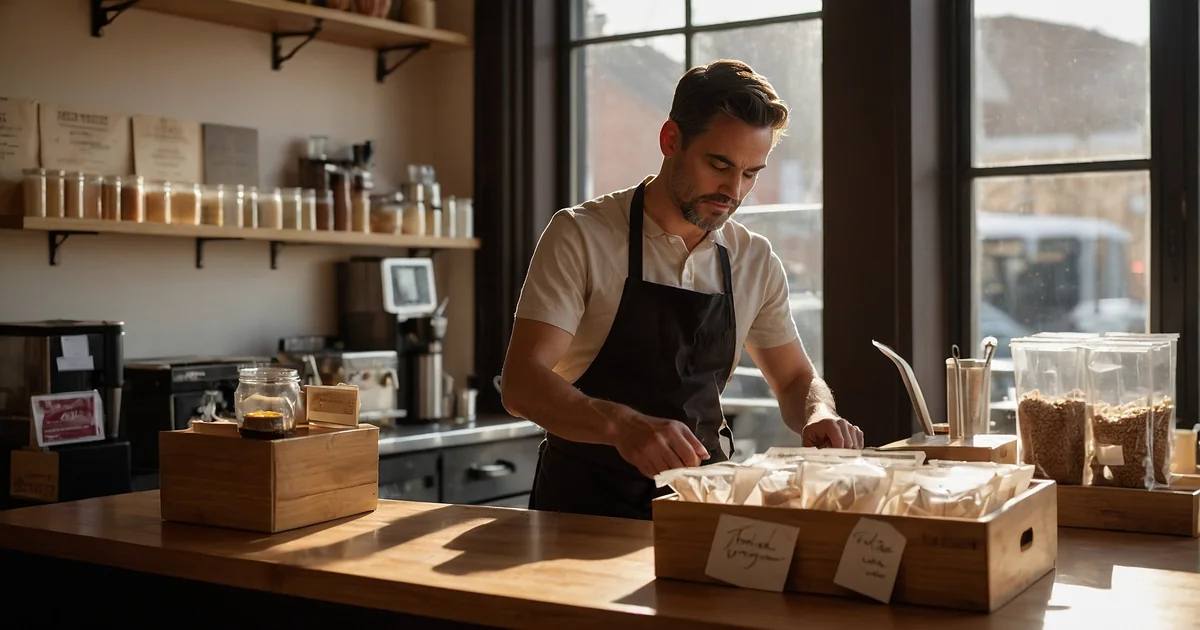
A café owner messaged us with that exact question earlier this year. He'd already worked it out for his shop: below $30, his delivery runs were losing money. Above $30, the economics held.
Most local-delivery shops on Shopify haven't done that math yet. Some haven't realized they should.
That's the cost of running local delivery without a minimum order value: small orders that quietly eat your margin, one delivery at a time. It's the most overlooked profit lever on Shopify, and it's a one-setting fix.
The Minimum Order Framework
Four numbers decide your right minimum. Set them once, then let your checkout do the math on every order.
- Cost per delivery: driver time, fuel, packaging, your hourly rate
- Target margin: the profit you need on every delivered order
- Average order value: what customers naturally spend without any minimum
- Friction tolerance: how high you can push the minimum before customers walk away
A good rule of thumb: most local-delivery shops land on a delivery minimum of $30 to $60, roughly 1.5 to 2x their average order value. The right number for you depends on your true delivery cost and what your customers will accept.
Imagine instead: every delivery order that lands in your inbox is profitable. Customers who can't hit your threshold either add items (good) or switch to pickup (also good; pickup costs you nothing). Your driver runs full routes, not half-empty trucks chasing $18 bouquets.
That's the dream. And it's a checkout setting away.
Can You Set a Minimum Order for Delivery on Shopify?
Short answer: Not the way most merchants need it.
Shopify's native shipping settings let you require a minimum order amount per rate. For simple shops with one fulfillment method, that works fine. But it hides the rate below the threshold without telling the customer why, doesn't differentiate by fulfillment method (pickup vs delivery vs shipping), and doesn't change with location, day, or product type.
Most local-delivery merchants need more than that:
- A delivery minimum that applies only to local delivery, not pickup, not regular shipping
- A different minimum per zone: $40 for the close-in zip code, $75 for the 15-mile radius
- Clear messaging at checkout so the customer knows what to add to qualify
- Free delivery above a higher threshold as a positive nudge, not just a hard wall
That's what Bird, a Shopify scheduling and rates app, adds on top of Shopify. You set minimum order rules per fulfillment method, per location, per day, per zone, and the checkout enforces them automatically.
The 3 Hidden Costs of Running Delivery Without a Minimum
These don't show up as a line item in your monthly numbers. They show up as a thin margin and an exhausted team.
1. Driver and fuel cost on tiny orders
Your delivery cost is mostly fixed per stop. Whether the customer ordered $18 or $80, your driver still drove the same route, used the same fuel, and spent the same time. Without a minimum, every small order eats a bigger percentage of itself in delivery cost.
Café example: A close-in delivery costs your café around $9 (driver wages + fuel + packaging). On a $20 order with $5 customer-paid delivery, you absorb $4 of cost, turning a normally healthy order into something closer to break-even.
2. Half-empty routes on slow days
Slow days are where the money leaks. When your driver runs four small deliveries instead of one full route, your cost per stop goes up. A minimum order pushes light-cart customers toward pickup or a bigger basket, both of which tighten your delivery economics.
3. Your best slots get burned on small orders
Every delivery slot has a real cost: prep time, kitchen capacity, driver minutes. A $20 delivery order takes the same slot a $90 delivery order would. Without a minimum, you're giving away your busiest hours to orders that barely pay, exactly when you should be reserving them for the orders that actually do.
This is where smart rate setup earns its keep: your slots fill with profitable orders, not just any orders.
How to Calculate Your Right Minimum (The Math)
There's no single "right" number. There's a right number for your shop. Here's the formula every merchant can run in five minutes.
Step 1. Calculate your true cost per delivery.
Add it all up:
- Driver wage (per delivery, including drive time + drop time)
- Fuel
- Vehicle wear (rough rule: $0.20–$0.40 per mile, or local equivalent)
- Packaging (boxes, ribbon, cooler bags, ice packs)
- Your time on dispatch and follow-up
For most local-delivery shops, the real number lands somewhere between $7 and $15 per delivery. Higher for refrigerated goods, fragile items, or long zones. (If you want to layer this against weight, day, or zone, see our help center guide on multi-condition rates for delivery and pickup.)
Step 2. Decide what you need to keep on each order.
Most local shops keep about 30–55¢ of every dollar after the cost of goods, depending on the category. Florists and gift shops tend toward the high end; food and beverage shops lower because ingredients eat more of the price. After delivery costs come out on top, you want a meaningful chunk left over for the channel to be worth running.
Step 3. Reverse the math.
Say your true delivery cost is $9 and you want at least $11 of profit on every delivered order. That means each order needs to generate $20 in gross margin: $9 to cover the delivery, $11 to keep as profit.
If you keep about 55¢ on every dollar of merchandise (the high end of the range above), you'd need an order around $35 to clear that $20.
That's your floor. Below it, you're working for free.
Step 4. Pressure-test with your average order value.
If your current average order is already $35 or above, the minimum is invisible. You're not losing customers, just protecting margins on the rare small order. If your average order is $25, jumping straight to $35 might cut volume in the first week. Better path: start at $30 (where the café in our opening is right now), watch what happens, then raise to $35 as you see customers clear it.
Quick takeaway
If your delivery costs $9 and your average order is $25, your minimum should not be $25. The math says ~$35. Start at $30, raise it in steps as customers absorb the change, and your delivery channel pays for itself within weeks.
Why You Need Different Minimums for Pickup, Delivery, and Shipping
This is where Shopify's native settings reach their limit, and where most merchants leave money on the table.
Pickup costs you almost nothing. No driver, no fuel, no route. So your pickup minimum can be $0 (or just a small "is this worth packing" floor).
Local delivery costs you real dollars per stop. This needs the highest minimum, calibrated to your true delivery cost (the math from Step 3 gives you the floor).
Regular shipping is paid by the customer at checkout via your carrier. Minimum here is optional, usually only used to qualify for free shipping promotions.
A customer at checkout sees:
- "Pickup: no minimum"
- "Local delivery: $35 minimum"
- "Standard shipping: no minimum"
Now the customer self-selects. Small order? They pick pickup or shipping. Big order? Delivery makes sense. Your driver only runs profitable routes.
That's the minimum order value feature doing the sorting for you, automatically, on every cart.
The Free Delivery Threshold Trick
A minimum order is a hard wall: "spend $35 or you can't have delivery." A free delivery threshold is a positive nudge: "spend $65 and we'll waive the delivery fee."
Use both. Together they look like this:
| Cart Total | What the customer sees |
|---|---|
| Below $35 | Delivery unavailable. Pickup or shipping shown instead. |
| $35–$64 | Delivery available: $9 delivery fee |
| $65 and above | Delivery available: free delivery |
The second tier is where the magic happens. Once a customer is already past the minimum, they're motivated to add one more item to hit free delivery. A visible free-delivery threshold is one of the strongest cart-size lifters in ecommerce. It pulls average order value up without you discounting a single product.
You're not giving away delivery. You're trading the delivery fee for a bigger basket, which usually nets out positive.
For more on layering rate logic, see our guide on how to choose your delivery rate strategy. For step-by-step setup help, see how to offer free delivery above a certain order value in our help center.
Different Minimums for Different Locations
If you run more than one store, your zones aren't the same, and your minimums shouldn't be either.
A downtown shop with dense delivery routes and bigger average orders can run a tight minimum. A suburban location with longer routes and a smaller online customer base might need a higher one. Forcing them to share a rule means one location is leaving money on the table while the other is losing customers.
With multi-location support, you set independent minimums per store, per zone, per fulfillment method. Your downtown shop can run $35 minimums for the close-in radius and $55 for the outer ring. Your suburban store, where every delivery is longer, can run $55 minimums everywhere. No spreadsheets. No mental math at checkout.
When NOT to Set a Minimum
Minimums aren't always the right tool. Skip them, or set them low, when:
- You're brand new and building volume. A high minimum cuts the very orders that would otherwise teach you what your customers want. Get to 50–100 delivery orders before you tune the threshold.
- Your average order is already comfortably above your true delivery cost. If you're a high-ticket shop (think custom cakes, premium gifting, B2B catering), the minimum isn't doing real work. Most customers clear it without thinking.
- You're running a launch or promo. Promotions thrive on low friction. A minimum during a launch will kill the test.
- Your delivery is genuinely cheap. Tight zones, low fuel costs, walking deliveries. The math just isn't there to justify a wall.
For everyone else: the minimum is doing more for your margins than any other single setting in your checkout.
Frequently Asked Questions
What's a good minimum order for local delivery?
Most local shops land between $30 and $60, depending on their average order size and true delivery cost. The right number is roughly 1.5 to 2x your average order, high enough to filter out unprofitable orders, low enough that most customers clear it naturally.
Should I show the minimum at checkout or block delivery entirely below it?
Show it. A clear "Add $X to qualify for delivery" message converts far better than a delivery option that silently disappears. Customers either top up the cart or switch to pickup, both better than abandoning the whole order.
Can I have a different minimum for delivery vs pickup on Shopify?
Yes, but not with Shopify's native settings alone. A scheduling app like Bird lets you set the delivery minimum independently from pickup (which usually has no minimum at all) and from regular shipping.
How does a delivery minimum affect conversion rate?
Done well, it doesn't hurt total revenue. It shifts unprofitable carts to pickup or shipping while protecting your delivery margin. Done poorly (jumping straight from no minimum to a high one), it can cut delivery volume noticeably. The fix: raise the minimum in steps over a few weeks and watch what happens to your average order size.
Should the minimum include the delivery fee?
No. Set the minimum on the merchandise subtotal, what the customer adds to the cart, before delivery and tax. That's the number that reflects your real margin.
Does this work for pickup and shipping orders too, or just delivery?
All three. Bird lets you set a separate minimum for each fulfillment method (pickup, local delivery, and shipping) and configure it independently per store, per zone, per day. Most local shops set $0 minimum on pickup since pickup costs you nothing, and use minimums mainly as a delivery-economics tool. Shipping minimums are optional and usually only used to qualify orders for free-shipping promotions.
How to set this up in Bird
Once you've worked out the right number from the math above, our step-by-step guide walks you through the setup inside the Bird dashboard: How to set a minimum order value for delivery, pickup, or shipping.
The Bottom Line
A delivery minimum is one of the few checkout settings that pays for itself fast. Set it correctly and every delivery order is one you actually want to fulfill. Skip it and you're funding a slow profit leak: small order by small order, slot by slot, day by day.
The four-step math takes five minutes. The setup takes another five. The downstream effect (tighter margins, fuller routes, less burned-out staff) runs on autopilot from then on.
Try Bird free for 14 days and set your first delivery minimum in the next coffee break. No credit card. No theme edits. Just a smarter checkout that protects your delivery economics from order one.
Need the rate logic that goes alongside it? Read our complete guide to Shopify local delivery setup or our Shopify delivery rates pricing guide.
Atinder Singh is the founder of Bird, a Shopify scheduling app trusted by 7,000+ merchants in 60+ countries, with 5.0 stars on the Shopify App Store. Bird helps florists, bakeries, and local retailers offer pickup and delivery their customers actually want.
Ready to streamline your pickup and delivery?
Start your 14-day free trial and see how Bird can transform your Shopify store.
Start Free Trial